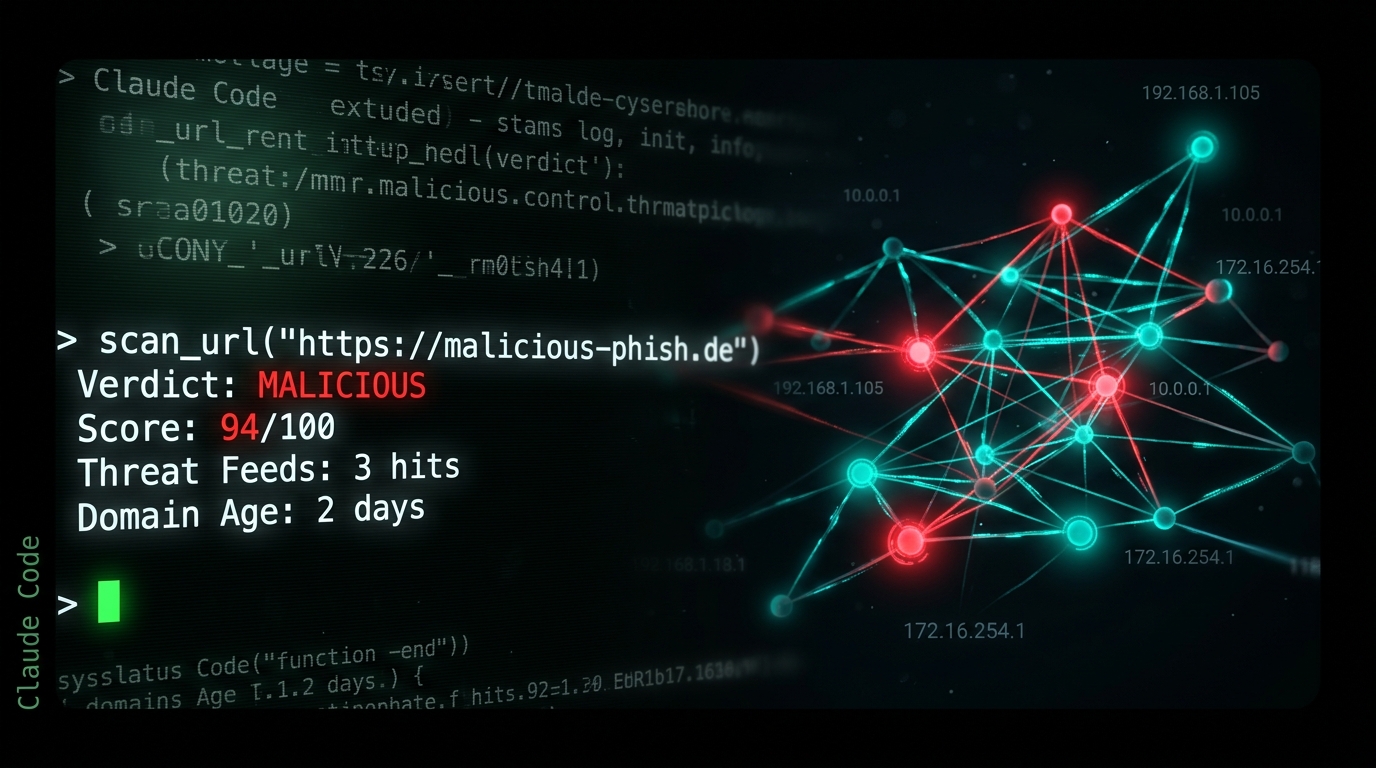
 FileScanner.online
 URLScanner.online
The SOC Analyst Bottleneck — and Why AI Changes Everything
The average Security Operations Center analyst handles between 10 and 20 phishing reports per hour during peak alert windows. Each one requires the same manual chain: extract URLs from the email or ticket, run each URL through a scanner, check the domain age and WHOIS, look up the IP reputation, review redirect chains, cross-reference threat intelligence feeds, write a verdict, escalate or close. For a junior analyst, this takes 8 to 15 minutes per alert. For a senior analyst, maybe 4. At either speed, the backlog grows faster than any human team can clear it.
The result is not just inefficiency — it is a security gap. Alerts that sit unresolved for more than 30 minutes lose their tactical value as attackers move laterally, establish persistence, or harvest credentials before the investigation catches up. The tools exist to analyze every URL. The intelligence exists to score every domain. The bottleneck is human throughput.
Model Context Protocol (MCP) changes this equation. MCP is Anthropic's open standard for connecting AI models to external tools and data sources in a structured, safe way. When you configure an MCP server in Claude Code, the AI gains access to real tools — not simulated tool-use, but live API calls to real systems — and can reason about the results the same way a senior analyst would: correlating signals, weighing context, identifying patterns, and producing actionable output.
URLScanner.online ships a production MCP server. Connect it to Claude Code in under five minutes, and you have an AI analyst that can scan any URL against DNS records, SSL certificates, WHOIS data, eight threat intelligence feeds, YARA malware rules, AI-powered risk synthesis, and live screenshots — then explain what it found in plain English, or structure the output as a formal SOC incident report.
This guide covers the complete setup, the most effective SOC workflows, real prompt examples, and how to push this combination into production for teams that need to scale alert triage without scaling headcount.
What Is MCP and Why It Matters for Security Teams
Model Context Protocol (MCP) is a standardized interface that lets AI models call external tools through a consistent, auditable channel. Think of it as a typed API contract between an AI and any service it needs to interact with: the server declares what tools it offers and what parameters they accept; the AI calls those tools with structured input; the server returns structured output; the AI reasons about the result.
Before MCP, connecting an AI to a security tool required either custom function-calling glue for each integration, or prompting the model with raw API documentation and hoping it would synthesize correct HTTP requests. Both approaches break easily and produce inconsistent output. MCP solves this by giving the AI a machine-readable description of exactly what each tool does and what it needs — so the AI calls tools correctly every time, without hallucinating endpoints or parameter names.
For security teams, this means you can give Claude Code access to your actual toolchain — URL scanners, SIEM queries, threat intelligence APIs, firewall rule engines — and ask it questions in natural language. The AI decides which tools to call, in what order, with what parameters, and synthesizes the results into a coherent answer. You stop context-switching between five browser tabs and start asking questions.
URLScanner.online's MCP server exposes two tools to Claude Code: scan_url (submit any URL, domain, or IP for a full multi-module security analysis) and get_scan (retrieve a completed scan by its ID). Each scan_url call triggers URLScanner's full engine: DNS, SSL, HTTP headers, WHOIS, redirect chain analysis, eight threat intelligence feeds (Google Safe Browsing, PhishTank, URLhaus, Spamhaus DBL, SURBL, and others), YARA pattern matching, AI-powered risk synthesis, and live screenshots across desktop, mobile, and tablet viewports. Everything that a manual analyst does in three browser tabs — the MCP server does in one structured API call.
The MCP server uses the Streamable HTTP transport, which means it works over standard HTTPS with no special firewall rules. The endpoint is public at https://urlscanner.online/mcp. Free users get 10 scans per day; authenticated users on paid plans get their full plan quota.
urlscanner.online
Scan Any URL — In Under 2 Seconds.
8 parallel security modules: malware, SSL, DNS, phishing, WHOIS, headers, screenshots, and AI scoring. 100% private.
Setup in 5 Minutes: Connecting URLScanner MCP to Claude Code
You need Claude Code installed (npm install -g @anthropic-ai/claude-code or the desktop app) and a URLScanner.online account. The free plan gives you enough scans to follow this guide; a paid plan removes the daily limit for production use.
Step 1 — Get your URLScanner API key. Log in to urlscanner.online, open your account dashboard, and navigate to the API Keys section. Click Generate New Key, give it a name (e.g. "claude-code-soc"), and copy the full key — it starts with usc_ and will not be shown again.
Step 2 — Add the MCP server to Claude Code. Run the following command in your terminal:
claude mcp add urlscanner -t http https://urlscanner.online/mcp
This registers the URLScanner MCP server under the name urlscanner in Claude Code's configuration. Alternatively, you can add it directly to your Claude Code settings file (~/.claude.json) under mcpServers:
{ "mcpServers": { "urlscanner": { "type": "http", "url": "https://urlscanner.online/mcp", "headers": { "x-api-key": "usc_your_key_here" } } } }
Step 3 — Verify the connection. Run claude mcp list — you should see urlscanner listed as a connected server. Then open Claude Code and type: Use the urlscanner tool to scan https://example.com. If you see a structured security report come back within 30 seconds, you are connected.
Step 4 — Check available tools. Ask Claude Code: "What tools does the urlscanner MCP server give you?" It will enumerate scan_url and get_scan with their parameters. This is a good sanity check that the schema was loaded correctly.
That is the entire setup. You now have an AI analyst with live access to a full-stack URL security analysis engine. Everything from here is about how you use it.
Your First Analysis: What Claude Sees When It Scans a URL
Understanding what the URLScanner MCP returns — and how Claude reasons about it — is the foundation of getting useful output. When Claude calls scan_url, the server runs URLScanner's full 12-module engine and returns a structured text summary that includes every module's result. Here is what that covers:
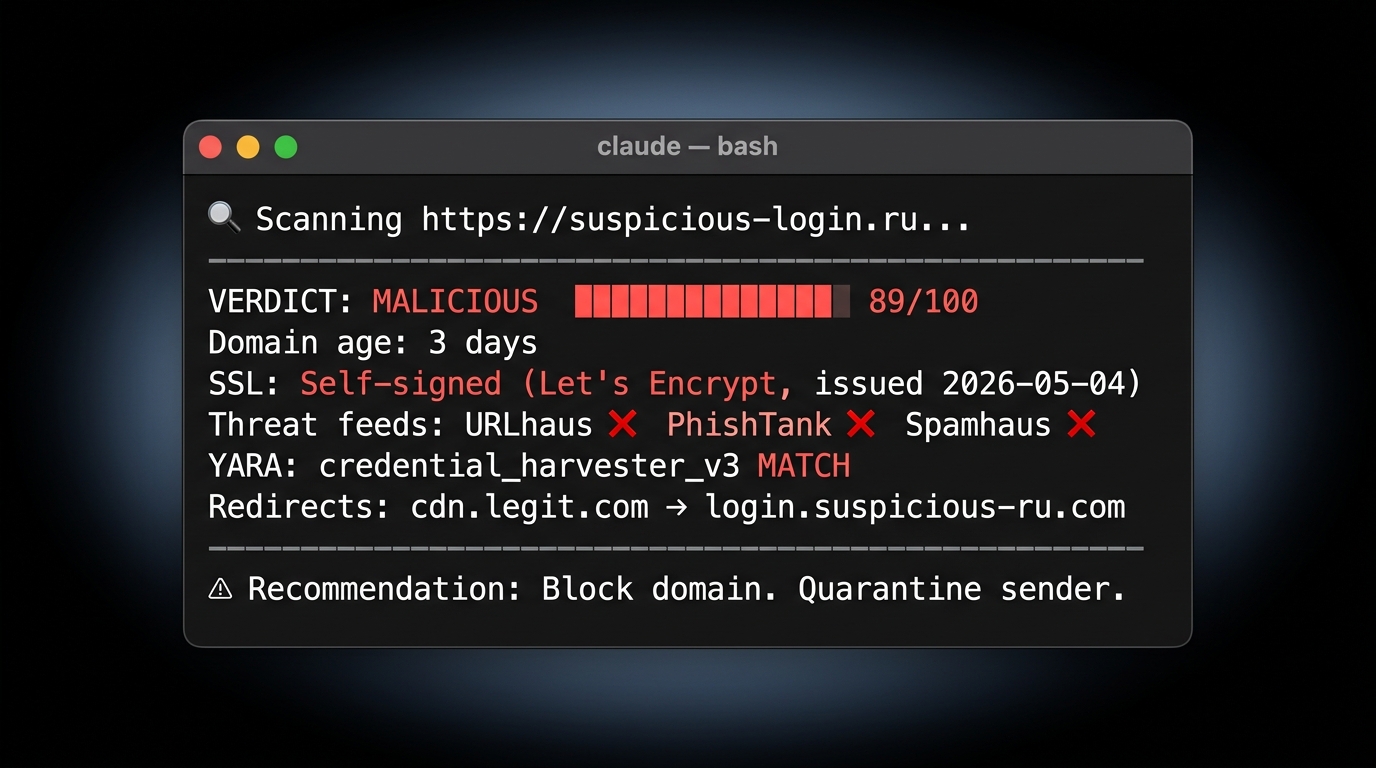
Threat verdict and risk score (0-100). A composite score synthesized from all modules, plus a categorical verdict: safe, suspicious, malicious, or unknown. This is the first thing Claude anchors on when forming its analysis.
DNS and IP intelligence. A, AAAA, MX, NS, TXT, and CNAME records. Resolved IPv4 and IPv6 addresses. Claude uses this to check for fast-flux infrastructure, mismatched MX records (common in domain spoofing), and suspicious nameserver configurations.
SSL certificate analysis. Issuer, validity period, Subject Alternative Names, OCSP status, cipher suite, protocol version. Claude flags certificates issued within 24-72 hours (a strong phishing indicator), free-CA certs on domains impersonating enterprises, and wildcard certs covering suspicious subdomain patterns.
WHOIS and domain age. Registrar, registrant organization, creation date, and nameservers. Domain age is one of the most reliable single indicators of phishing infrastructure — domains registered within 30 days account for the majority of active phishing campaigns.
Redirect chain. Full hop-by-hop redirect sequence with cross-origin detection. Claude identifies chains that move from a trusted domain (a CDN, a legitimate link shortener) to an unknown final destination — a classic technique for bypassing email gateway URL inspection.
Eight threat intelligence feeds. Live query results from Google Safe Browsing, PhishTank, URLhaus, Spamhaus Domain Block List, SURBL, and others. Any active listing is weighted heavily in Claude's synthesis.
YARA pattern matching. Rules matched against the page's HTML and JavaScript. YARA hits identify known malware families, credential harvesting kits, and obfuscation patterns used in web-based attacks.
AI risk synthesis. URLScanner's own two-stage AI analysis — domain reputation assessment followed by full-context risk synthesis — is included in the output Claude receives, giving it a pre-computed risk narrative to reason on top of.
With all of this in context, Claude does not just repeat back the data. It identifies which signals are most significant for the specific URL, explains why each signal matters, surfaces the attack pattern if one is present, and produces a verdict with reasoning you can actually cite in an incident ticket.
6 SOC Workflows That Change How Your Team Operates
These are the six highest-value use cases for the Claude Code + URLScanner MCP combination in a real SOC environment. Each includes the exact prompt to use.
1. Phishing Email Triage. When a user reports a suspicious email, extract the URLs and paste them directly into Claude Code:
These URLs were extracted from a reported phishing email. Scan each one, identify the attack pattern, score the overall risk, and tell me whether to quarantine the sender domain.
Claude will scan each URL sequentially, correlate the results (shared infrastructure, common certificate, same redirect destination), identify the campaign pattern, and give you a single unified verdict on whether this is a confirmed phishing attempt and what to block.
2. IOC Enrichment for Threat Intelligence. When your SIEM fires on an outbound connection to an unknown domain, paste the domain into Claude Code:
Scan this domain and extract every IOC: IP addresses, ASN, nameservers, SSL certificate fingerprint, redirect chain destinations, and any threat feed hits. Format as a structured IOC report for our threat intelligence platform.
Claude returns a full enrichment profile formatted for direct import — IPs, ASNs, cert hashes, detection names from each threat feed — in whatever structure you specify.
3. Bulk Alert Triage. Paste a list of URLs from your daily phishing report:
I have 15 URLs from overnight alerts. Scan each one, then give me a prioritized triage table: columns for URL, risk score, verdict, top indicator, and recommended action (block/monitor/close). Sort highest risk first.
Claude processes the list, synthesizes a triage table, and flags the three or four that need immediate action — so your morning starts with a decision queue, not a raw data queue.
4. Redirect Chain Unwrapping. URL shorteners, QR codes, and multi-hop redirects are a primary evasion technique against email gateways. Paste a suspicious shortened URL:
This URL is in a QR code from a physical piece of mail we intercepted. Scan it, unroll the full redirect chain, identify where it ultimately lands, and tell me if the final destination is malicious.
Claude traces every hop, identifies cross-origin redirects, and tells you exactly where the chain ends — and what is waiting there.
5. Pre-Click URL Verification. Your users can paste suspicious URLs from emails, Teams messages, or social media:
Before I click this link, scan it and tell me in plain English: is it safe, what is it, and is there anything suspicious about it?
This is the simplest use case and extremely effective for reducing successful phishing rates. It requires zero security knowledge from the user — just the URL and a plain-language question.
6. Domain Impersonation Detection. When you receive a report that a domain may be impersonating your brand:
Scan this domain. Compare its WHOIS age, SSL issuer, DNS infrastructure, and content to what you'd expect from a legitimate enterprise site. Does it look like a brand impersonation or typosquat targeting our company?
Claude identifies the red flags: recently registered, using a free CA cert, hosting a login page, with no MX records suggesting the domain was created purely for phishing.
Writing Incident Reports Automatically: The Full Power of AI + Threat Intel
The highest-leverage capability of the Claude Code + URLScanner MCP combination is not faster scanning — it is automatic report generation. A well-written security incident report takes a senior analyst 20 to 45 minutes to produce. Claude, with the full URLScanner data in context, produces a draft in under 60 seconds.
Here is the prompt that produces the most useful formal incident reports:
Scan [URL]. After you have the results, write a formal SOC incident report with the following sections: Executive Summary (2 sentences for a non-technical audience), Technical Analysis (detailed breakdown of all threat indicators found), Attack Pattern Classification (what type of attack is this — phishing kit, malware distribution, credential harvesting, etc.), Infrastructure Analysis (domains, IPs, certificates, hosting ASN), Affected Scope (who is likely targeted based on the lure and infrastructure), Recommended Actions (immediate containment, short-term hardening, long-term monitoring), and Indicators of Compromise (structured IOC table with types and values).
Claude will scan the URL, wait for results, and produce a complete structured report that you can paste directly into your SIEM ticket, share with management, or include in a threat intelligence brief. The executive summary is written for non-technical stakeholders. The technical analysis is written for your incident response team. The IOC table is formatted for direct import.
For recurring phishing campaigns (multiple URLs hitting the same infrastructure), expand the prompt:
Scan all five of these URLs. After scanning each one, identify shared infrastructure — common IPs, ASNs, certificate issuers, or registrars — and write a campaign attribution report explaining whether these are coordinated attacks from the same threat actor, with a confidence level and your reasoning.
Claude will process all five scans, look for correlation across the results, and produce a campaign analysis that would take a human analyst an hour or more to assemble from raw data.
urlscanner.online
Scan Any URL — In Under 2 Seconds.
8 parallel security modules: malware, SSL, DNS, phishing, WHOIS, headers, screenshots, and AI scoring. 100% private.
Advanced Workflows: Integrating Into Your Security Stack
Once the basic Claude Code + URLScanner MCP setup is working, you can integrate it more deeply into your security operations stack with a few additional patterns.
Claude Code in headless mode for automation. Claude Code supports non-interactive mode via the --print flag and stdin piping. This means you can call it from a shell script, a SOAR playbook, or a Python automation pipeline. A script that reads URLs from a SIEM API, pipes each one to Claude Code with a triage prompt, and writes the verdict back to a ticket — this is a realistic, low-engineering-cost automation that significantly reduces analyst load.
echo 'Scan https://suspicious.example.com and return JSON: {verdict, score, top_ioc, recommended_action}' | claude --print
This pattern is particularly useful for alert enrichment pipelines where you want AI triage as a preprocessing step before human review. Analysts see only alerts that Claude has already scored above a certain threshold, with a pre-written summary of why.
CLAUDE.md for persistent SOC context. Claude Code reads a CLAUDE.md file from the project directory at the start of every session. For SOC work, this is where you put standing instructions that apply to every analysis: your organization's name and industry, what your acceptable risk threshold is, what your standard IOC format looks like, which threat feeds you trust most, how you classify incidents by severity, and what your escalation path is. Once this file is in place, every prompt inherits this context automatically — you never have to re-explain your environment.
Multi-tool MCP compositions. URLScanner MCP works alongside other MCP servers. If you also have a VirusTotal MCP, a Shodan MCP, or an in-house threat intelligence MCP configured in Claude Code, you can ask Claude to correlate results across all of them in a single prompt: "Scan this URL with URLScanner, look up the hosting IP in Shodan, and check the file hash from the redirect target in VirusTotal. Give me a unified risk assessment." Claude orchestrates the calls across all three tools and synthesizes the combined output.
Session context for campaign tracking. Within a Claude Code session, all previous scan results stay in context. This means you can build up a campaign picture interactively: scan the first URL, then the second, then ask Claude to identify what the two have in common, then ask it to hypothesize who the threat actor is based on infrastructure patterns. The entire conversation is the analysis — not a series of disconnected lookups.
What the AI Actually Does With the Data: Signal Correlation
A common question from security teams evaluating AI-assisted analysis is: does the AI actually reason, or does it just reformat the data? With a rich, multi-signal input like URLScanner's output, the answer is: it genuinely reasons — and the reasoning is often more useful than the raw data.
Here is a concrete example. URLScanner returns a domain with a score of 35 (low-medium risk), no active threat feed listings, a 14-day-old domain, a Let's Encrypt certificate, and a redirect chain that passes through a legitimate CDN before arriving at a page with a YARA match for a credential harvesting kit template. No single signal here is conclusive. The threat feeds show clean. The CDN hop is legitimate.
A junior analyst looking at a "35/100" score might close the ticket. Claude, with all signals in context, identifies the pattern: a new domain, a free cert, a legitimate CDN as cover for a malicious final destination, and a YARA match that identifies the page as a known phishing kit — and produces a verdict of high confidence malicious. It explains its reasoning step by step, which signals it weighted most heavily, and why the threat feed miss is expected (the domain is too new to have been reported yet).
This is the core value of AI-augmented threat analysis: not speed (though it is faster), but signal correlation at the scale and consistency that human analysts cannot maintain across hundreds of alerts per day. The AI does not get alert fatigue. It does not weight the 200th alert differently from the first. It applies the same correlation logic to every URL, every time.
The second major value is explainability. Every verdict comes with a written explanation that a less technical colleague can understand, a manager can approve, and a ticket system can store as documentation. This closes the gap between technical findings and business communication that typically requires a senior analyst to translate.
Security and Privacy: What You Should Know Before Using This in Production
Before deploying this in a production SOC environment, there are a few practical considerations worth being clear about.
URLs submitted to URLScanner are analyzed and stored. Scan results are associated with your account and retained for a period after the scan. Do not submit URLs that contain sensitive internal parameters, authenticated session tokens, or PII in the URL path. For phishing analysis, the URLs you submit are typically external attacker-controlled domains — there is no sensitivity concern. For internal URL analysis, scrub parameters before scanning.
Your API key authenticates your account. Store it in an environment variable or a secrets manager, not in a script file that might be committed to a repository. In your Claude Code configuration, use $ENV_VAR syntax to reference it from the environment rather than hardcoding the value.
Claude Code logs your prompts and tool calls locally. By default, Claude Code writes session history to a local directory. If you are working with sensitive alert data, be aware of where this history is stored and apply your organization's data handling policies accordingly.
Rate limits apply per plan. The free tier provides 10 scans per day shared across web and API. The Solo plan provides 100/day; Business is unlimited. For a production SOC environment handling more than a handful of alerts per day, a paid plan is the correct baseline. The cost is typically one order of magnitude less than the analyst time saved on a daily basis.
This is an analyst augmentation tool, not a replacement for human judgment. Claude's verdicts are probabilistic assessments based on the available signals. Novel or well-engineered attacks may produce clean results across all feeds and still be malicious. Always maintain a human-in-the-loop for high-stakes decisions — lateral movement investigation, domain takedown requests, or user account suspension.
Getting Started: Your First SOC Session With Claude Code
Here is a structured first session to run after completing the setup. It covers the three most common SOC scenarios and will give you a realistic sense of what the workflow feels like in practice.
Session 1 — Basic triage (5 minutes). Find a recent phishing report in your inbox or use a known-bad URL from a public threat feed. Open Claude Code and type: "Scan [URL] and tell me if this is a phishing site, what technique it's using, and what I should block to stop this campaign from hitting other users." Read the output. Notice how Claude structures the verdict: threat signals first, then attack pattern, then blocking recommendations with specific values.
Session 2 — Incident report (10 minutes). Use the same URL. This time, use the full incident report prompt from Section 6 of this guide. Compare the raw scan output to the formatted report. The report prompt produces output that is immediately ready for a ticket — the raw prompt produces output that requires formatting work. For production use, always use the report prompt.
Session 3 — Bulk triage with CLAUDE.md (15 minutes). Create a CLAUDE.md file in the directory you use for security work. Add your organization name, your standard IOC format, and the instruction: "Always format triage results as a table with columns: URL | Score | Verdict | Top Indicator | Action." Then paste 5 URLs from a threat feed and ask for triage. The table format will be applied automatically to every subsequent triage request in that directory.
After these three sessions, you will have a clear picture of how to integrate Claude Code + URLScanner MCP into your daily workflow, what prompts produce the most useful output, and where the combination adds the most time savings for your team.
The infrastructure is already running. The tools are already connected. The only remaining step is learning which questions to ask — and that, as it turns out, is something you already know how to do.