 FileScanner.online
 URLScanner.online
Why MCP Is the Most Important Development in Security Tooling Since SIEM
Security tools have always been siloed. Your threat intelligence platform does not talk to your URL sandbox. Your sandbox does not talk to your SIEM. Your SIEM does not talk to your vulnerability scanner. Integrating them requires custom connectors, API wrappers, middleware, and dedicated engineering time — and even when the integrations exist, they produce raw data that still requires a human analyst to synthesize into a decision.
Model Context Protocol (MCP) breaks this pattern in a way that no previous integration standard has. MCP is Anthropic's open standard for connecting AI models to external tools through a typed, auditable interface. Any service that implements the MCP server specification can be connected to Claude Code — or any other MCP-compatible client — in minutes. The AI then calls those tools directly, synthesizes results across all of them simultaneously, and produces analysis that would take a human analyst hours to assemble manually.
The security implications are significant. A Claude Code session connected to five MCP servers can, in a single prompt, scan a suspicious URL, look up the hosting IP in Shodan, search GitHub for leaked credentials using that domain, run a web search for threat actor reports mentioning the domain, and read your local SIEM log file for prior connections to the same IP — then write a complete incident report based on all of it. No tab-switching. No copy-pasting. No context loss.
This guide covers every MCP server that delivers meaningful security value as of mid-2026, with accurate setup instructions, specific security use cases for each, and three ready-to-use stack configurations for different team sizes and budgets. We cover both the official servers maintained by Anthropic and the most reliable community-maintained servers available.
How to Read This Guide: The MCP Security Stack Model
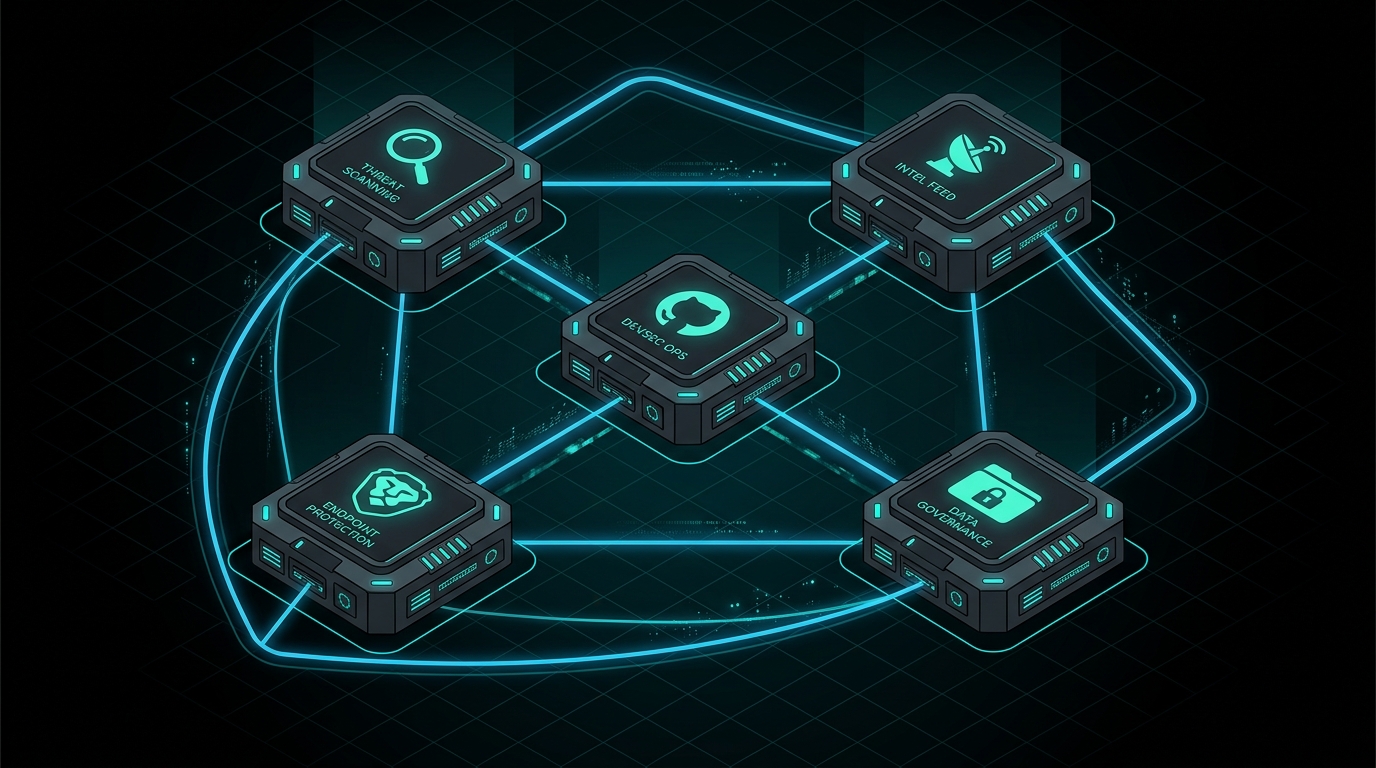
Not all MCP servers deliver the same type of value for security work. To make this guide actionable, we organize servers into five functional layers — each addressing a different part of the SOC workflow:
Layer 1 — Threat Analysis: Real-time scanning and scoring of URLs, domains, IPs, and files against threat intelligence feeds, YARA rules, and AI-powered risk synthesis. This is where active threats are confirmed or ruled out.
Layer 2 — Internet Intelligence: Passive reconnaissance against the internet-wide scan databases that map exposed services, open ports, certificates, and infrastructure ownership. This is where you pivot from a single IOC to a full infrastructure picture.
Layer 3 — Code and Repository Intelligence: Searching GitHub and similar platforms for leaked credentials, malicious repositories, threat actor tooling, and vulnerable code patterns. This is where you find what attackers are building and what your developers may have accidentally exposed.
Layer 4 — OSINT and Web Research: Real-time web search for threat actor reports, CVE advisories, dark web mentions, vendor advisories, and current threat landscape intelligence. This is where you contextualize findings against the broader security community's knowledge.
Layer 5 — Local Data and Log Analysis: Reading and reasoning over local files — SIEM exports, network logs, firewall logs, config files, script files. This is where you connect live external intelligence to your internal environment's historical data.
For most SOC teams, a stack covering Layers 1, 3, and 4 delivers the most immediate return. Add Layer 2 when you need infrastructure pivoting. Add Layer 5 when you are doing active incident response. The rest of this guide walks through the best server options for each layer, starting with the one that delivers the most immediate value.
Layer 1 — Threat Analysis: URLScanner.online MCP
URLScanner.online is the only production-ready, fully managed MCP server in the threat analysis layer with zero infrastructure requirements. It runs over HTTPS at https://urlscanner.online/mcp, requires no local installation, and exposes two tools: scan_url and get_scan.
What it analyzes per scan: DNS records (A, AAAA, MX, NS, TXT, CNAME), SSL certificate chain and cipher suite, WHOIS and domain age, full redirect chain with cross-origin detection, eight threat intelligence feeds (Google Safe Browsing, PhishTank, URLhaus, Spamhaus DBL, SURBL, and others), YARA pattern matching against page HTML and JavaScript, AI-powered two-stage risk synthesis, and live screenshots across three viewport sizes. The result is a composite risk score from 0 to 100 and a categorical verdict: safe, suspicious, malicious, or unknown.
Setup:
claude mcp add urlscanner -t http https://urlscanner.online/mcp
For authenticated access with your API key (required for paid plan quota):
{ "urlscanner": { "type": "http", "url": "https://urlscanner.online/mcp", "headers": { "x-api-key": "usc_your_key" } } }
Top security use cases: Phishing triage (scan reported URLs with a single prompt and get a verdict with evidence), IOC enrichment (extract full infrastructure profile including IPs, ASN, cert fingerprint, and redirect chain), campaign attribution (scan multiple URLs and identify shared infrastructure), redirect chain analysis (unroll multi-hop redirects through CDNs and link shorteners), and automatic incident report generation from scan data.
Pricing: Free tier: 10 scans/day. Solo plan: 100/day. Business: unlimited. API key available from the account dashboard.
Why it stands out: It is the only threat analysis MCP server that combines live threat feed queries, YARA matching, AI synthesis, and screenshots in a single tool call. Competing approaches require chaining three or four separate API calls to replicate the same output.
urlscanner.online
Scan Any URL — In Under 2 Seconds.
8 parallel security modules: malware, SSL, DNS, phishing, WHOIS, headers, screenshots, and AI scoring. 100% private.
Layer 2 — Internet Intelligence: Shodan and Censys MCP Servers
Internet-wide scan databases are the pivot layer of SOC work: once you have an IP or ASN from a threat analysis scan, you need to understand what else that infrastructure is running, who else is on the same hosting block, and what services are exposed. Two MCP servers cover this space.
Shodan MCP (community-maintained). Shodan is the foundational internet intelligence database — it continuously scans the entire internet and indexes banners from every open port. Community-maintained MCP wrappers for the Shodan API are available on GitHub (search shodan mcp server). Once configured with a Shodan API key, Claude can query host information, search for specific service banners, look up CVE exposure across IP ranges, and identify all assets associated with a given ASN.
Security use cases with Shodan MCP: After URLScanner identifies the hosting IP for a malicious domain, ask Claude to look up that IP in Shodan — you will often find that the same IP is hosting dozens of other domains with the same profile (bulletproof hosting, phishing infrastructure farms). You can also use it to assess your own internet-facing exposure: "Look up our company's IP range in Shodan and tell me what services are visible from the internet that shouldn't be."
Censys MCP (community-maintained). Censys offers similar capabilities to Shodan with a focus on certificate transparency and TLS data. Community MCP wrappers exist for the Censys Search API. Its primary security use case is certificate hunting: finding all certificates issued for subdomains of a target domain (useful for discovering shadow IT and phishing infrastructure cloning your brand).
Important note on community servers: Community-maintained MCP servers vary in quality and maintenance status. Before using one in a production environment, verify the source repository, check the last commit date, review what API permissions it requests, and run it in an isolated environment first. Treat community MCP servers with the same scrutiny you would apply to any open-source security tool.
Setup pattern for community servers:
{ "shodan": { "type": "stdio", "command": "npx", "args": ["-y", "shodan-mcp-server"], "env": { "SHODAN_API_KEY": "your_key" } } }
Layer 3 — Code and Repository Intelligence: GitHub MCP
GitHub MCP is one of the official servers maintained directly by Anthropic, which means it is production-stable, actively maintained, and safe to use in enterprise environments. It gives Claude Code full access to the GitHub API: searching code and repositories, reading file contents, listing commits, managing issues and pull requests, and more.
Setup:
claude mcp add github -e GITHUB_PERSONAL_ACCESS_TOKEN=ghp_yourtoken -- npx -y @modelcontextprotocol/server-github
Security use cases — offensive intelligence: Searching GitHub for leaked API keys, credentials, or internal configuration referencing your company's domains; finding repositories that contain malicious scripts or tools linked to an IOC you are investigating; tracking threat actor GitHub accounts for new tooling releases; searching for proof-of-concept exploit code related to a CVE you are patching.
Security use cases — defensive: Code review for vulnerability patterns ("Search our repository for SQL query construction without parameterized inputs"), dependency audit ("Find all package.json files in our org's repositories and list dependencies with known CVEs"), secret scanning ("Search our org's code for patterns that look like hardcoded credentials or API keys"), and incident response ("Show me all commits to this file in the last 30 days — I need to understand when this backdoor was introduced").
Combine with URLScanner MCP: When investigating a phishing campaign, use URLScanner to analyze the malicious URL, then use GitHub MCP to search for the phishing kit source code — many phishing kits are copied from public GitHub repositories, and identifying the kit version helps you understand what data the attacker is harvesting and what other variants exist.
Token scope for security work: Create a dedicated GitHub personal access token with read-only scope on the repositories you need. For searching public repositories only (threat intelligence), a token with no extra scopes is sufficient — GitHub's code search works on public repos without special permissions.
Layer 4 — OSINT and Web Research: Brave Search MCP
Real-time web search is a frequently underrated capability in AI-augmented security work. When Claude has access to a live search engine, it can look up current threat actor reports, find CVE advisories published in the last 24 hours, search for forum discussions mentioning a specific malicious domain, and find vendor security bulletins — all without leaving the session.
Brave Search MCP is the official Anthropic-maintained server for web search. It uses the Brave Search API, which provides independent web indexing (not relying on Google or Bing) with privacy-focused design. A Brave Search API key is available at api.search.brave.com — the free tier provides 2,000 queries per month.
Setup:
claude mcp add brave-search -e BRAVE_API_KEY=your_key -- npx -y @modelcontextprotocol/server-brave-search
Security use cases: After URLScanner flags a domain as suspicious, ask Claude to search for that domain in Brave Search — security researchers often publish reports about active phishing infrastructure that predate the threat feed listings. Searching for a threat actor name surfaced by YARA matches may find Mandiant, CrowdStrike, or CISA reports that Claude can summarize. Searching for a CVE ID immediately after it is published lets you track PoC availability and exploitation reports in real time.
The OSINT power prompt: "Search for [domain/IP/hash] across security research blogs, threat intelligence reports, and government advisories. Summarize everything you find about this indicator and tell me if it's been attributed to a known threat actor." With Brave Search MCP active, Claude will run multiple targeted searches, read the results, and synthesize a comprehensive threat intelligence summary in seconds.
Combine with URLScanner MCP: This is the most powerful two-server combination for phishing analysis. URLScanner provides the technical infrastructure analysis; Brave Search provides the contextual intelligence — press coverage, researcher reports, historical campaign attributions. Together they give Claude both the signal data and the narrative context to produce analyst-grade verdicts.
Layer 5 — Local Data and Log Analysis: Filesystem and Database MCPs
The final layer connects Claude to your local environment — the SIEM exports sitting in a downloads folder, the firewall log you pulled before the weekend, the CSV of suspicious domains your threat intel feed produced this morning. This is where external intelligence connects to internal evidence.
Filesystem MCP (official Anthropic server) gives Claude access to read, search, and reason over files in directories you specify. It never writes without explicit instruction and only accesses the paths you configure.
Setup:
claude mcp add filesystem -- npx -y @modelcontextprotocol/server-filesystem /path/to/logs /path/to/iocs
Security use cases: "Read yesterday's proxy log export and identify every connection to a domain registered in the last 30 days" (cross-reference with URLScanner for each flagged domain). "Search the firewall log for any connections to these 15 IP addresses from my IOC list." "Read this SIEM alert CSV and group alerts by source IP, then tell me which source IPs have the highest alert volume and what alert types they're triggering." "Review this Terraform configuration file and identify security misconfigurations."
SQLite MCP (official Anthropic server) is useful when your threat intelligence data lives in a local database — for example, if you maintain a SQLite database of known-bad domains, IP reputation data, or historical scan results. Claude can query it with natural language: "Which domains in our threat intel database were last seen active in the last 7 days and are not yet blocked at the firewall?"
Setup:
claude mcp add sqlite -- npx -y @modelcontextprotocol/server-sqlite /path/to/threat-intel.db
Important security note: Configure the Filesystem MCP with the narrowest directory scope possible. Point it only at the specific directories containing the files Claude needs to analyze. Never point it at your home directory, system directories, or directories containing credentials, private keys, or sensitive configuration files.
urlscanner.online
Scan Any URL — In Under 2 Seconds.
8 parallel security modules: malware, SSL, DNS, phishing, WHOIS, headers, screenshots, and AI scoring. 100% private.
Building Your Stack: 3 Configurations for Every Team Size
Here are three complete, ready-to-use MCP stack configurations for different environments. Each is designed to be added to ~/.claude.json under the mcpServers key.
Configuration 1 — Solo Analyst (Free Tier, No API Costs). Covers threat analysis and web research with no paid API dependencies beyond URLScanner's free tier:
{ "urlscanner": { "type": "http", "url": "https://urlscanner.online/mcp" }, "filesystem": { "type": "stdio", "command": "npx", "args": ["-y", "@modelcontextprotocol/server-filesystem", "/Users/you/security-work"] } }
This configuration covers the two highest-value use cases for a solo analyst: live threat analysis (URLScanner) and local log/file investigation (Filesystem). No API keys required beyond the URLScanner free account.
Configuration 2 — SOC Team (Paid, Full Stack). The complete stack for a team doing active threat hunting and incident response:
{ "urlscanner": { "type": "http", "url": "https://urlscanner.online/mcp", "headers": { "x-api-key": "usc_your_key" } }, "github": { "type": "stdio", "command": "npx", "args": ["-y", "@modelcontextprotocol/server-github"], "env": { "GITHUB_PERSONAL_ACCESS_TOKEN": "ghp_readonly_token" } }, "brave-search": { "type": "stdio", "command": "npx", "args": ["-y", "@modelcontextprotocol/server-brave-search"], "env": { "BRAVE_API_KEY": "your_brave_key" } }, "filesystem": { "type": "stdio", "command": "npx", "args": ["-y", "@modelcontextprotocol/server-filesystem", "/path/to/siem-exports", "/path/to/iocs"] } }
Configuration 3 — Incident Response Sprint. When you are in an active IR engagement and need maximum context. Add Shodan to the SOC Team config for infrastructure pivoting, and expand the Filesystem scope to include all relevant log directories. This is a temporary configuration — narrow it back down after the engagement closes.
Testing your stack: After configuring multiple MCP servers, open Claude Code and ask: "List all your available tools and what each one does." Claude will enumerate every tool from every connected server. If a server fails to load, it will not appear in the list — check claude mcp list for diagnostics.
Power Workflows: What You Can Do With the Full Stack Active
With all layers of the stack active, the workflows available to a Claude Code session go far beyond what any single tool offers. Here are the most powerful cross-server workflows.
Full IOC investigation chain (URLScanner + Brave Search + GitHub): "Scan [domain]. Then search the web for any security reports mentioning it. Then search GitHub for any code repositories or scripts that reference this domain. Give me a comprehensive threat intelligence summary with confidence level and attribution if possible." Claude executes three tool calls sequentially, synthesizes the results, and produces a verdict that draws on live threat feeds, community research, and code intelligence simultaneously.
Phishing kit fingerprinting (URLScanner + GitHub): "Scan [phishing-URL]. Based on the YARA matches and page structure you find, search GitHub for similar phishing kit source code. Identify which kit was used and whether there are other variants I should be hunting for." Claude can often identify the exact phishing kit version and link to the GitHub repo where the attacker sourced it — giving you a template for hunting similar infrastructure.
Log correlation with live enrichment (Filesystem + URLScanner): "Read the proxy log at /path/to/log.csv. Find every unique domain that appears in it. For any domain registered less than 90 days ago, scan it with URLScanner and flag the ones with suspicious scores. Give me a triage report." Claude reads the log, extracts domains, filters by age heuristic, scans the suspicious candidates, and produces a prioritized list — automating what would otherwise be an hours-long manual correlation exercise.
Vendor risk assessment (URLScanner + Brave Search): "Scan the main domain of [vendor]. Search the web for any reported security incidents, data breaches, or vulnerability disclosures involving this vendor in the last 12 months. Combine the technical scan findings with the reputational research and give me a vendor security risk score for our third-party risk register." This is a two-MCP workflow that produces a board-quality vendor security assessment in under two minutes.
What Is Coming: The MCP Security Ecosystem in Late 2026
The MCP ecosystem is expanding rapidly. Based on current development activity, several additions to the security-relevant server landscape are either already in early availability or are being actively built as of mid-2026.
Native SIEM MCP servers. Microsoft Sentinel and Splunk have both announced MCP-compatible integrations in their roadmaps. Once these ship, Claude Code will be able to run KQL and SPL queries directly against your SIEM data in natural language — the most significant reduction in analyst friction since the introduction of query languages themselves.
MITRE ATT&CK MCP. Several community projects are building structured access to the MITRE ATT&CK framework as an MCP server. Once stable, this gives Claude real-time access to the complete ATT&CK knowledge base for technique identification, tactic-to-technique mapping, and mitigation suggestion during threat analysis.
Certificate Transparency MCP. Real-time access to certificate transparency logs (crt.sh and similar) would make subdomain discovery and phishing infrastructure detection significantly more powerful — currently available via web scraping workarounds, but a first-class MCP server is a natural evolution.
Threat intelligence platform integrations. MISP, OpenCTI, and similar open-source threat intelligence platforms are natural candidates for MCP servers — giving Claude access to your organization's private threat intelligence alongside public feeds.
The strategic position for security teams is clear: invest now in building Claude Code + MCP workflows around the stable, production-ready servers (URLScanner, GitHub, Brave Search, Filesystem), and watch the SIEM integrations closely. The teams that have already built the prompt and workflow muscle memory will be best positioned to plug in the next generation of servers as they arrive.