 FileScanner.online
 URLScanner.online
Why Website Safety Is Harder to Judge Than It Used to Be
Ten years ago, a dangerous website was usually obvious. Poor design, misspelled words, missing HTTPS, and a URL that looked like a keyboard smash were reliable signals that something was wrong. Today, those shortcuts no longer work.
Modern phishing sites are built using professional design templates, real SSL certificates, and domains that are carefully chosen to look like the brand they're impersonating — sometimes differing by a single character. Fake online stores look identical to legitimate retailers, complete with product images, customer reviews, and functioning shopping carts. You can process an order, receive a confirmation email, and only realize weeks later that your card was charged for items that will never arrive and your billing details were harvested.
The stakes are real. Entering your email and password on a fake site hands those credentials to an attacker who will test them against your bank, your work email, and every other account you use. Entering payment details funds fraud that can take months to fully unwind with your bank. Even simply visiting a compromised legitimate website can expose your device to drive-by malware through unpatched browser vulnerabilities.
This guide gives you a complete, practical framework for evaluating website safety — covering what signals actually matter, which popular safety myths will get you in trouble, and how to get an objective, automated safety verdict on any website in under 15 seconds.
The HTTPS Myth: Why the Padlock Doesn't Mean a Site Is Safe
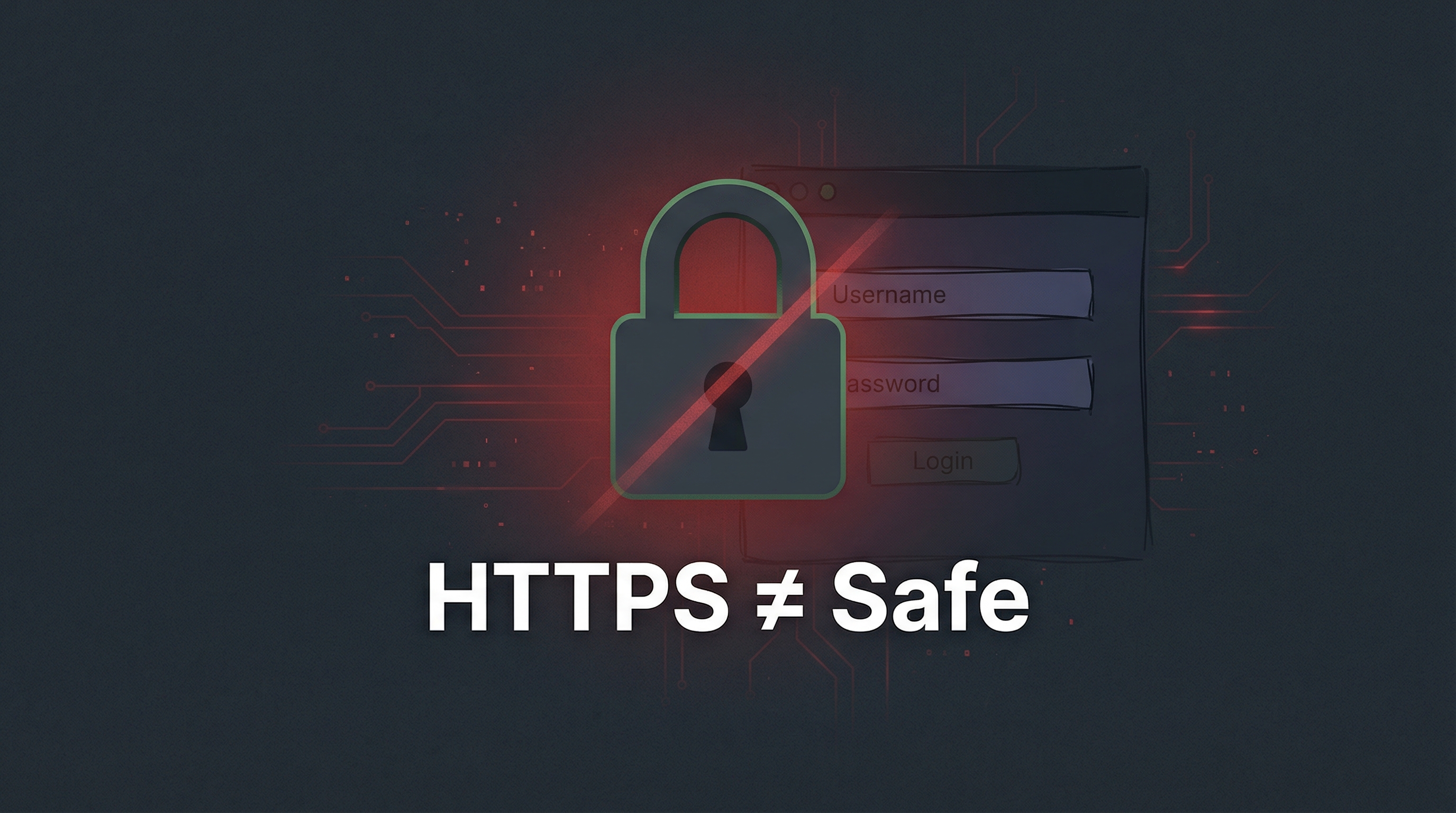
The most widespread and dangerous misconception about website safety is the belief that HTTPS — signified by the padlock icon in your browser's address bar — means a website is safe. This is wrong, and understanding why will make you significantly harder to scam.
HTTPS means one thing: the connection between your browser and the website is encrypted in transit. It means an attacker monitoring your network traffic cannot read the data you're sending. It says nothing whatsoever about what the website does with your data once it receives it.
Phishing websites use HTTPS. Malware distribution sites use HTTPS. Fake stores use HTTPS. All of them can obtain free, valid SSL certificates from services like Let's Encrypt in minutes. According to security research published in 2025, over 80% of phishing pages now use HTTPS. The padlock icon has become a false safety signal that scammers actively exploit because they know people trust it.
When you see HTTPS, you can conclude: your connection to this site is encrypted. You cannot conclude: this site is legitimate, trustworthy, or safe to enter personal information on.
What you should evaluate instead is whether the domain itself is legitimate — not just whether the connection is encrypted. A phishing page at paypa1-support.com with a valid HTTPS certificate is far more dangerous than a small legitimate business running HTTP on a local informational website that collects no personal data.
urlscanner.online
Scan Any URL — In Under 2 Seconds.
8 parallel security modules: malware, SSL, DNS, phishing, WHOIS, headers, screenshots, and AI scoring. 100% private.
The 7 Visual Signals That a Website Is Probably Safe
While no single visual signal is conclusive, a website that shows all of the following characteristics is substantially more likely to be legitimate than one that shows several red flags. Use this as a rapid initial assessment.
1. The domain matches the brand exactly. Before anything else, look at the URL in the address bar — not the text on the page. The actual domain should be the brand's primary domain. Hover over any links before clicking to see where they actually lead. A website claiming to be PayPal but operating from paypal-secure-login.com or paypa1.com is a phishing site regardless of how convincing the page looks.
2. The SSL certificate is issued to the correct organization. Click the padlock icon and view the certificate details. For high-value targets like banks, the certificate is typically issued to the company's full legal name (e.g., 'PayPal, Inc.'). A certificate issued to an anonymous individual or a domain privacy service is not automatically suspicious, but it's worth noting.
3. The domain has existed for years, not days. Newly registered domains — those created within the last 30–90 days — are a strong indicator of a phishing or scam site. Legitimate businesses build their domains over years. When you check a site with a URL scanner, the domain registration date is always included in the results.
4. The website has a consistent, professional presence across the web. A real company will have a Wikipedia page, news coverage, reviews on Trustpilot or G2, and active social media profiles. A quick search for the company name plus 'scam' or 'review' often surfaces fraud reports within seconds if the site has victimized others.
5. Contact information is real and verifiable. Legitimate businesses provide a physical address, a phone number, and an email address — and these can be verified. If the only contact method is a web form, or if the address maps to a vacant lot or a residential house, treat the site with significant skepticism.
6. Privacy policy and terms of service exist and are substantive. These documents should specify what data is collected, how it's used, and how to request deletion. A website that handles your personal data or payment information but provides no privacy policy is violating GDPR in most jurisdictions — and likely has other problems.
7. Payment is processed through a recognized gateway. Legitimate online stores use Stripe, PayPal, Visa Checkout, or similar established payment processors. If a website asks you to pay by bank transfer, cryptocurrency, gift card, or wire transfer, leave immediately — these payment methods are irreversible by design and are the standard payment method of choice for scammers.
The 8 Red Flags That a Website Is Dangerous
If you notice any of these warning signs, stop what you're doing and check the website with an automated scanner before proceeding.
1. The URL contains a brand name but isn't the brand's domain. Patterns like 'netflix-login.com', 'amazon.support-help.com', 'paypal.com.accounts-verify.net', or 'microsoft-365-update.info' are phishing domains. The real brand is 'netflix.com', 'amazon.com', 'paypal.com', and 'microsoft.com'. Any domain that uses a brand name as a subdomain or within a longer string is an impersonation attempt.
2. The page arrived via an unexpected message. An email, text message, or social media DM that creates urgency and directs you to a link is the single most common phishing delivery mechanism in 2026. Legitimate institutions — banks, government services, employers — do not require you to verify your identity or take urgent action through an unsolicited link. If you receive such a message, navigate to the organization's website directly rather than clicking the link.
3. The page asks for credentials you didn't initiate a login for. If you navigate to a URL and find yourself on a login page you didn't expect — asking for your Google credentials, your Microsoft 365 password, or your bank login — this is an adversary-in-the-middle attack. You never asked to log in; the page is attempting to harvest credentials.
4. Prices are dramatically below market rate. Fraudulent retail sites commonly use below-market prices (65% off luxury goods, discounted electronics, too-good-to-be-true deals) to entice victims. If a price seems implausible compared to legitimate retailers, it almost certainly is.
5. The URL uses lookalike characters. Punycode domain attacks replace standard Latin characters with visually identical Unicode characters: 'аmаzon.com' uses Cyrillic 'а' instead of Latin 'a'. In the browser address bar, these can look completely identical to the real domain. Copy the URL and inspect it carefully for unusual characters.
6. The browser displays a security warning. Modern browsers — Chrome, Firefox, Safari, Edge — will display a red warning page when navigating to a site listed in Google Safe Browsing, a database of known phishing and malware distribution sites. If you see one of these warnings, do not click 'Advanced' and proceed unless you have a specific, expert reason to do so.
7. Pop-ups claim your computer is infected. Legitimate websites do not display pop-up alerts claiming your computer has a virus and urging you to call a support number or download a 'cleaner' tool. These are scareware attacks designed to either steal money through fake tech support calls or deliver malware through the 'cleaner' download.
8. The website redirected you through multiple domains. If the URL in your browser address bar is different from the URL you clicked, the site has redirected you. A single redirect is common and often legitimate (URL shorteners, affiliate tracking). But chains of two or three redirects that end on an unexpected domain are a common technique used to conceal the true destination of phishing links from automated scanners.
| Warning Sign | Risk Level | What to Do |
|---|---|---|
| Brand name in URL but not the brand's actual domain | Critical | Do not proceed — confirmed phishing indicator |
| Arrived via unsolicited message with urgent CTA | High | Navigate directly to the organization's website instead |
| Unexpected login prompt for Google / Microsoft / bank | High | Scan the URL before entering anything |
| Prices dramatically below market rate | High | Search for company reviews + 'scam' before purchasing |
| Browser security warning displayed | High | Do not override the warning without expert reason |
| New domain (< 90 days old) | Medium–High | Scan with URL checker, verify via other channels |
| No privacy policy or contact information | Medium | Do not enter personal data on this site |
| Pop-up claiming your computer has a virus | Medium | Close the tab immediately; do not call the number |
urlscanner.online
Scan Any URL — In Under 2 Seconds.
8 parallel security modules: malware, SSL, DNS, phishing, WHOIS, headers, screenshots, and AI scoring. 100% private.
How to Check Any Website's Safety in 15 Seconds
Visual inspection is valuable but has limits — a professionally designed phishing page built from a template can pass a visual check easily. For a definitive, data-driven safety verdict, use an automated scanner.
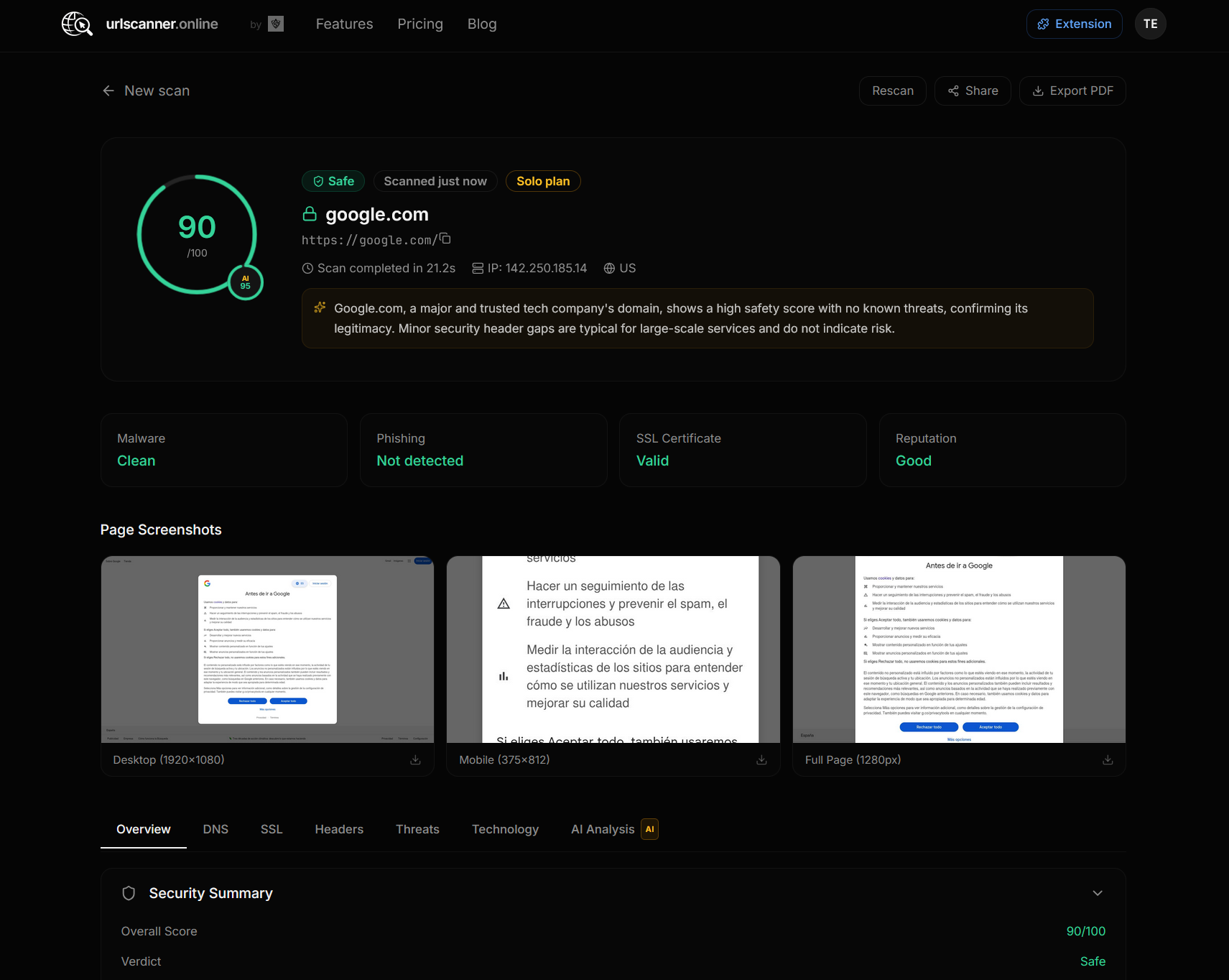
URLScanner.online runs 8 parallel security modules against any URL and returns a weighted 0–100 safety score in under 15 seconds. No account required. No installation. And critically — your scan is completely private, meaning the URL you check is never logged in a public database or visible to other researchers.
This matters more than it might seem. Public URL scanners like URLScan.io maintain a searchable public database of every URL submitted. If you're scanning a URL from an internal system, a vendor portal, or a sensitive investigation, submitting it to a public scanner inadvertently publishes a record of that URL to anyone who searches for it.
The 8 checks URLScanner runs in parallel:
Threat database correlation — The URL is cross-referenced against Google Safe Browsing, URLhaus, Spamhaus, SURBL, and other real-time threat feeds simultaneously. A hit on any of these databases indicates confirmed malicious activity.
Domain age and registration analysis — Full WHOIS data is retrieved, including registration date, registrar, and domain expiry. Domains registered within the last 30 days receive automatic risk escalation.
SSL certificate inspection — The full certificate chain is analyzed: issuing authority, subject details, validity window, TLS protocol version, cipher suite, and HSTS policy. Anomalies are flagged.
DNS infrastructure mapping — Complete DNS enumeration (A, AAAA, MX, TXT, NS, SOA, CAA records) reveals the hosting provider, mail configuration, and whether the domain uses DMARC and SPF — basic protections that legitimate organizations typically have in place.
HTTP security header analysis — The presence and correct configuration of security headers (Content-Security-Policy, X-Frame-Options, X-Content-Type-Options, HSTS) is assessed. Missing security headers on a page that handles sensitive data is a red flag.
Phishing detection engine — A multi-layer analysis combining domain age, SSL issuer, visual similarity scoring, and keyword analysis specifically targets sites impersonating known brands.
Safety score synthesis — All module results are weighted and combined into a single 0–100 score. A score above 80 indicates a generally safe site. Scores below 40 indicate significant risk. Scores between 40 and 80 warrant closer inspection of the specific findings.
Multi-viewport visual preview — The page is rendered in an isolated, sandboxed environment and captured as screenshots across desktop, tablet, and mobile viewports. This lets you see exactly what the page looks like without your actual browser loading any scripts or resources from it.
Checking a Website Before Entering Payment Details
The highest-stakes situation for website safety checks is online shopping — specifically, entering a credit card number on a website you haven't used before. Fraudulent retail sites have become so convincing that even experienced online shoppers are victimized regularly. Here's the specific checklist to run before completing any purchase on an unfamiliar site.
Run the URL through a safety scanner first. Before entering any payment details, copy the URL and check it with URLScanner.online. Pay specific attention to the domain age. A store that only started its domain three weeks ago is extremely unlikely to be a legitimate retail operation.
Search for the store independently. Open a new tab and search for the store name plus 'reviews', 'legit', or 'scam'. Look for results from review platforms like Trustpilot, Sitejabber, and Reddit. Be aware that scam sites often populate fake positive reviews on their own pages — look for reviews on independent platforms.
Verify the return and refund policy. Scam stores commonly use vague or nonexistent return policies, or policies with extremely short windows and complicated requirements designed to prevent claims. A legitimate store will have a clear, easy-to-find refund process.
Check the 'About Us' section and company registration. Legitimate businesses in the EU are required to display their company name, registration number, and registered address. In the UK, companies are registered at Companies House and can be verified online. A business that provides no verifiable company information should not receive your payment details.
Use a virtual card or a payment method with chargeback rights. Even after completing all the above checks, consider using a virtual card (offered by many banks and services like Privacy.com or Revolut) with a spending limit equal to the transaction value. If the site turns out to be fraudulent, you can freeze or delete the virtual card immediately. Avoid paying by bank transfer, cryptocurrency, or gift card — these have no consumer protection.
Monitor your bank statement immediately after purchase. Fraudulent merchants sometimes charge small test amounts (€0.01–€5) before charging the full fraudulent amount days later. Check your statement 24–48 hours after any transaction on a new site and dispute anything you don't recognize immediately.
urlscanner.online
Scan Any URL — In Under 2 Seconds.
8 parallel security modules: malware, SSL, DNS, phishing, WHOIS, headers, screenshots, and AI scoring. 100% private.
How to Check a Specific Type of Website
Different types of websites require different safety checks. Here's a quick-reference guide for the most common scenarios.
Online stores you've never used before: Domain age check (over 1 year), independent review search, company registration verification, secure payment gateway, return policy clarity. Any store that fails two or more of these checks should not receive your card details.
Login pages (Google, Microsoft, banking): The domain in the address bar must be exactly correct — not a subdomain or lookalike. Bank domains rarely change and are well-documented. Bookmark your bank's official login page and always use that bookmark rather than following links. For Microsoft and Google, the login page will be on accounts.google.com or login.microsoftonline.com — not any other domain.
File download pages: If you've navigated to a site to download software, scan the URL before downloading. Then scan the downloaded file before executing it. Many malware distribution sites host what appears to be legitimate software (a VPN client, a PDF converter, a video codec) that bundles malware with the actual installer.
News and information sites: The main risk from news and information sites is ad-based malware delivery (malvertising) through compromised ad networks, and drive-by downloads targeting browser vulnerabilities. Keep your browser updated, use an ad blocker, and be suspicious of any prompt to install a browser extension or update a plugin while reading an article.
Government and healthcare portals: Fake government portals are a growing attack vector — fake tax authority sites, fake vaccination portals, and fake benefit claim pages. Government URLs follow consistent patterns (gov.uk, gouv.fr, boe.es, bundesregierung.de). If a government-looking site is operating from a .com or .info domain, verify the correct URL through official government communications before entering any details.
| Website Type | Key Safety Checks | Tools to Use |
|---|---|---|
| Online store (first visit) | Domain age, independent reviews, company registration, payment gateway | URLScanner + Google + Trustpilot |
| Login page (bank, Google, MS) | Exact domain match, no subdomains of suspicious roots | Visual check + URLScanner if any doubt |
| Software download page | Domain reputation, publisher verification, scan the downloaded file | URLScanner + FileScanner |
| Government / official portal | Domain matches official government TLD, cross-check URL via official comms | URLScanner + independent URL verification |
| Link received by email or DM | Scan before clicking — do not trust the display text | URLScanner (right-click extension) |
| Payment processing page | Domain of payment page = domain of the store or recognized processor | Visual check + URLScanner |
Tools That Help You Check Website Safety
Beyond the manual checks described above, several tools can help automate and enhance your website safety verification workflow.
URLScanner.online — The fastest all-in-one option. Paste any URL and receive a comprehensive safety report covering threat databases, SSL, DNS, domain age, HTTP headers, and a visual preview — all in under 15 seconds, completely private. This is the tool to use when you want a definitive, data-driven verdict quickly.
Google Safe Browsing (built into your browser) — Chrome, Firefox, Safari, and Edge all query Google's Safe Browsing database in real time. If a site is listed as known malicious, your browser will display a red warning before you reach the page. This is passive protection — it only catches sites already cataloged by Google, not new phishing pages.
Have I Been Pwned (haveibeenpwned.com) — Not a website scanner, but a valuable companion tool. After any suspicious login attempt or potential credential exposure, check whether your email address has appeared in known data breaches. If it has, change the password for that account and any account where the same password is used.
URLScanner Browser Extension — Adds a right-click context menu option to scan any link before clicking it. For users who regularly receive links via email or messaging apps, this turns every right-click into a safety check. The extension is free and available for Chrome.
Whois.domaintools.com — For manual domain age and registration verification when you want to check a specific domain's history in detail. Shows registration date, registrar, and historical data on the domain.
The most effective approach is layered: browser-level protection (Safe Browsing) as a baseline, URLScanner for active checks on suspicious links, and the browser extension for passive protection on every link you consider clicking.
urlscanner.online
Scan Any URL — In Under 2 Seconds.
8 parallel security modules: malware, SSL, DNS, phishing, WHOIS, headers, screenshots, and AI scoring. 100% private.
Website Safety Checklist: Quick Reference
Use this checklist every time you encounter an unfamiliar website that you're considering entering personal information on. A site that passes all of these checks is substantially more likely to be safe. A site that fails three or more should not receive your data.
Domain check: The URL in the address bar exactly matches the brand's known domain. No lookalike characters, no subdomains that lead to a different root domain, no extra words appended to the brand name.
Age check: The domain has been registered for more than 90 days. (Check with URLScanner or a WHOIS tool.) Phishing and scam sites are frequently set up and torn down within weeks.
Threat database check: The site does not appear in Google Safe Browsing, URLhaus, or other threat databases. URLScanner runs all of these simultaneously.
SSL check: HTTPS is present, but more importantly, the SSL certificate is valid, unexpired, and issued for the correct domain — not a wildcard certificate for an unrelated parent domain.
Visual check: No browser security warnings. No unexpected login prompts. No pop-ups claiming security alerts. No dramatic discounts that defy market pricing.
Reputation check: Independent reviews exist on third-party platforms (Trustpilot, Reddit, Google Reviews). No significant fraud reports in search results.
Contact check: Verifiable company name, physical address, and phone number are present. Privacy policy and terms of service exist and are substantive.
Payment check: Checkout is processed through a recognized payment gateway (Stripe, PayPal, Visa/Mastercard). No requests for bank transfer, cryptocurrency, or gift card payment.
If you're in doubt after completing this checklist, the safest action is always to find the product or service on a known-good alternative platform rather than transacting on the suspicious site. The short-term inconvenience of not completing a purchase is always preferable to the long-term effort of resolving fraud.